
Execution Roadmap · Delivery Plan
The execution roadmap your team ships from.
Execution Roadmap·12 deliverables
- Phase Lanes
- Task Board
- Kanban Flow
- Journey Map
- Dependencies
- DoD per Task
- Critical Path
- Sequencing
- Status Chips
- Owners
- Milestones
- Export Ready
The job
A blueprint without a roadmap is a Google Doc. A roadmap without a blueprint is a wishlist.
Founders spend weeks turning blueprints into Linear tickets, getting DoD wrong, and missing dependencies. Execution Roadmaps removes that step by generating the board directly from each blueprint — with definition-of-done and dependency arrows already in place.
You bring
- One or more generated blueprints
- A team that needs phased delivery, not a vibes list
- Optional: existing tickets in Linear or Jira you want to align to
Gaplyze creates
- Three phase lanes (Foundation, Build, Validate) with sequenced tasks
- A definition-of-done attached to every task
- Dependency arrows + status chips (Now / Next / Later)
The real surface
Three views of the same plan.
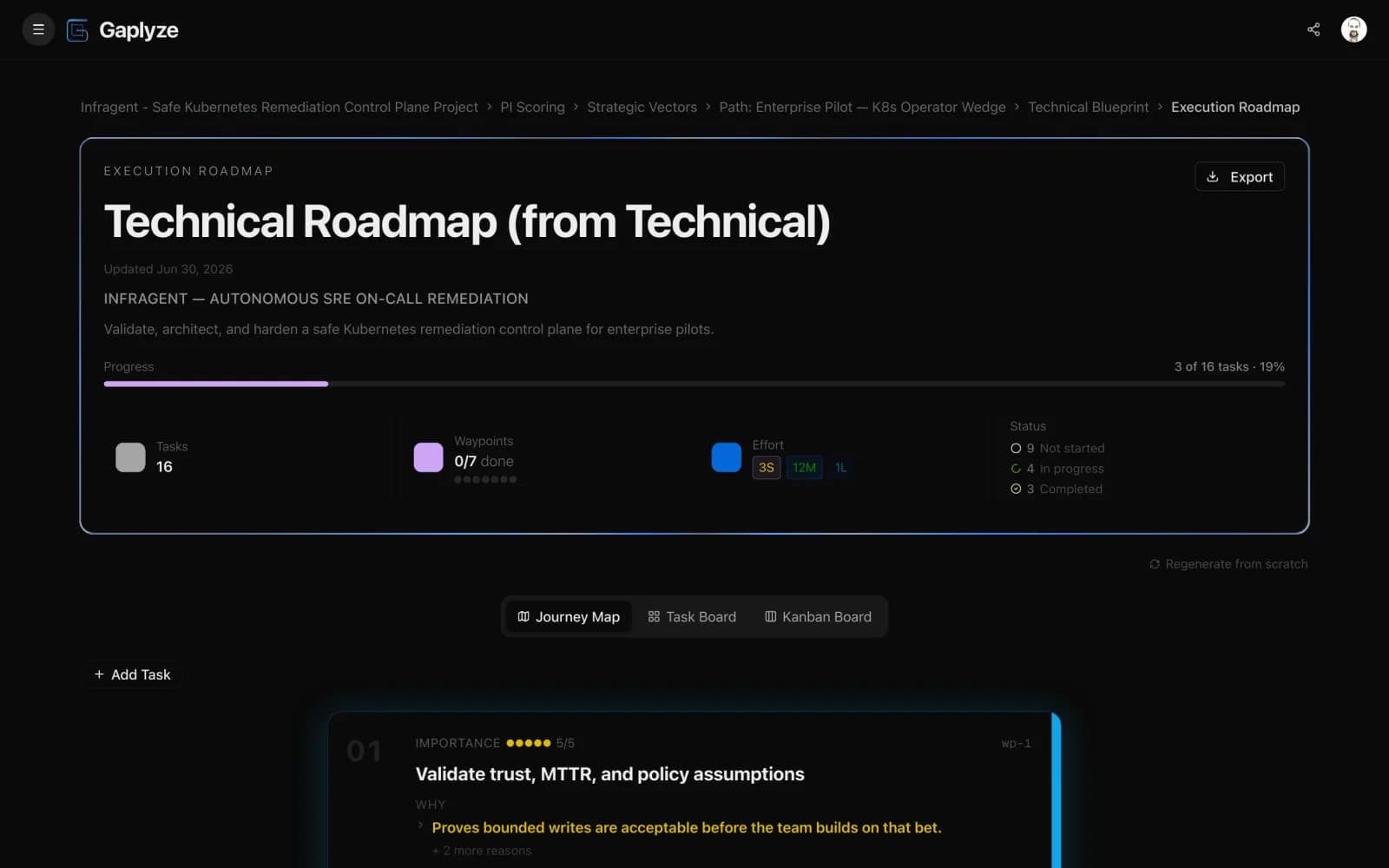
Switch between the real roadmap views — the journey map, the task board, and the kanban flow — each with phase lanes, dependencies, and a definition-of-done per task.
Decision unlocked
You leave with the board your team executes from this sprint.
Hand engineering a board with DoD per task — no re-writing tickets
See the critical path before you start — without a Gantt chart
Regenerate cleanly when blueprints change — keep your manual edits intact
Where it fits
Between blueprints and the tools your team ships with.
Market Intelligence
Blueprints
Execution Roadmaps
Prompt Packs
Investor-Ready Exports
Market Intelligence
Blueprints
Execution Roadmaps
You are herePrompt Packs
Investor-Ready Exports
Start free
Generate your first roadmap on the free tier.
No credit card. The first roadmap from your first blueprint is included — upgrade only when the breadth of your delivery plan outgrows the free tier.
FAQ
Roadmap questions answered.
What does an execution roadmap actually look like?
Three phase lanes (Foundation, Build, Validate) with task cards inside each lane. Every task carries a title, a definition-of-done, a phase chip, and dependency arrows linking it back to whatever blueprint produced it. No timelines you'll never hit — just sequence and DoD.
Why a definition-of-done per task?
Without DoD, a task is a wish. With DoD, your team knows when the task is shippable — which means the roadmap stops being a vibes-based to-do list and starts being a contract. Gaplyze emits DoD for every task because the blueprint already encodes the deliverable.
How are dependencies surfaced?
Each task carries an explicit upstream-task reference. The board shows the dependency as an arrow between cards; the export shows it as a parent-task ID. You can spot the critical path without a Gantt chart.
Can I edit the roadmap manually after it's generated?
Yes. Auto-generation gives you the first pass; you keep edit control on every task, DoD, dependency, and phase assignment. Manual edits are preserved when you regenerate — only untouched tasks are re-derived.
What happens when a blueprint changes?
Regenerating the roadmap picks up the blueprint diff and applies it to the affected tasks. Untouched tasks stay put; tasks the blueprint dropped get archived (not deleted); new tasks slot into the appropriate phase. You always see what changed before you accept the update.
Can I export to Linear or Jira?
Roadmaps export as Markdown and structured JSON — the JSON is shaped so it maps cleanly into Linear, Jira, Notion, or any other tool that accepts a task list with dependencies and a definition-of-done.
Stop turning blueprints into tickets by hand.
Auto-generated phase lanes, definition-of-done per task, dependency arrows. The board your team executes from — without the weekend spent in Linear.